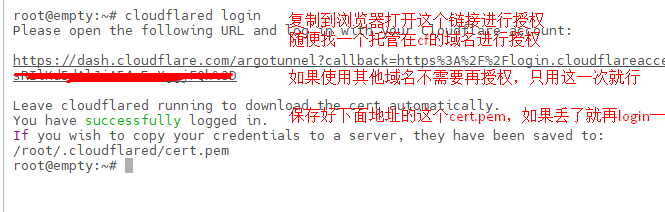
login Generate a configuration file with your login details
create Create a new tunnel with given name
route Define which traffic routed from Cloudflare edge to this tunnel: requests to a DNS hostname, to a Cloudflare Load Balancer, or traffic originating from Cloudflare WARP clients
vnet Configure and query virtual networks to manage private IP routes with overlapping IPs.
run Proxy a local web server by running the given tunnel
list List existing tunnels
info List details about the active connectors for a tunnel
delete Delete existing tunnel by UUID or name
cleanup Cleanup tunnel connections
token Fetch the credentials token for an existing tunnel(by name or UUID) that allows to run it
help, h Shows a list of commands or help for one command
额,这里不用多说吧,你运行cloudflared help直接看就行了
值得注意的就是几个logincreaterouterunlistinfodeletetoken
这些光看这个单词的意思就能猜出是干什么的,不用我去详细介绍
4. 如何用cli去做内网穿透
上面说了哈,我们创建隧道的这个过程是可以在你内网环境下做的,不需要服务器
那么我们如何其他地方使用穿透功能呢?
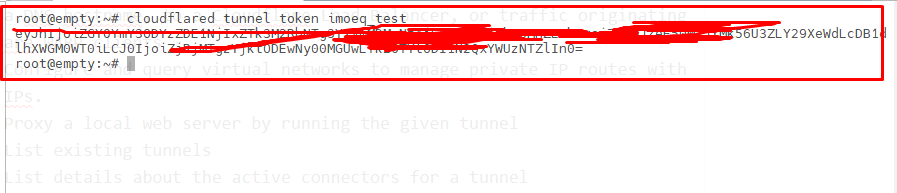
先获取你创建隧道的这个token
cloudflared tunnel token <隧道名称>
你在这里获得token意味着其他人有下面这串神秘代码就能使用你的隧道,请谨慎保管
什么,你说这样不安全?
我当然知道啦,下面会介绍其他连接方式,先慢慢来搞懂cli再说
你复制这串神秘代码后,在想要使用隧道的地方这样输入命令
cloudflared tunnel –no-autoupdate run –token <上面那一串神秘代码> –url http://127.0.0.1:8080







 出现这个说明连接成功